 Salary Left
You check your balance and wince
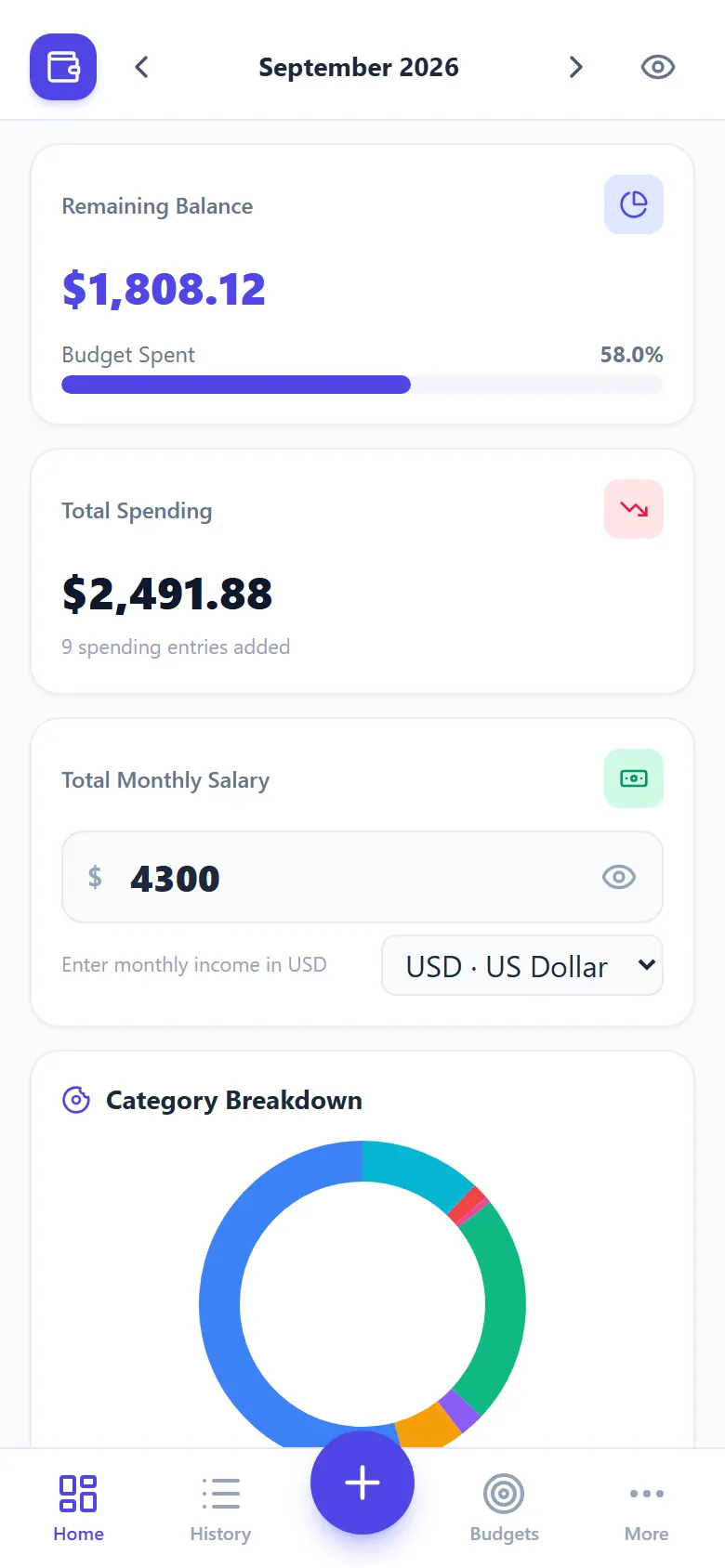
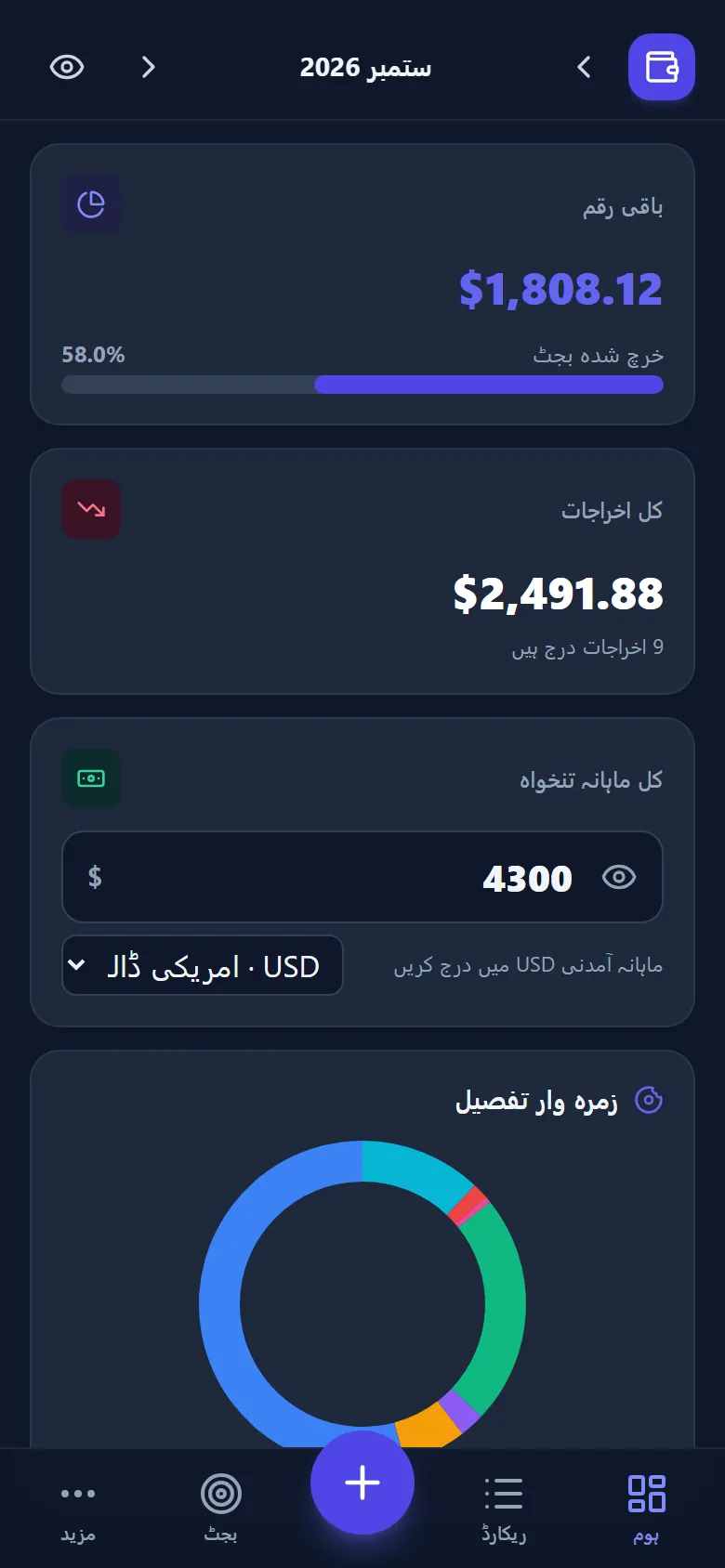
The fix: a live remaining balance and percent-spent bar update after every entry, so there are no end-of-month surprises.
Enter your monthly income, log spending in seconds and see your balance live. A private budget app for salaried people, freelancers and families, in 50 currencies.
Most people don't overspend on big things. Small, forgotten purchases add up. A personal expense tracker makes them visible before the month runs out.
The fix: a live remaining balance and percent-spent bar update after every entry, so there are no end-of-month surprises.
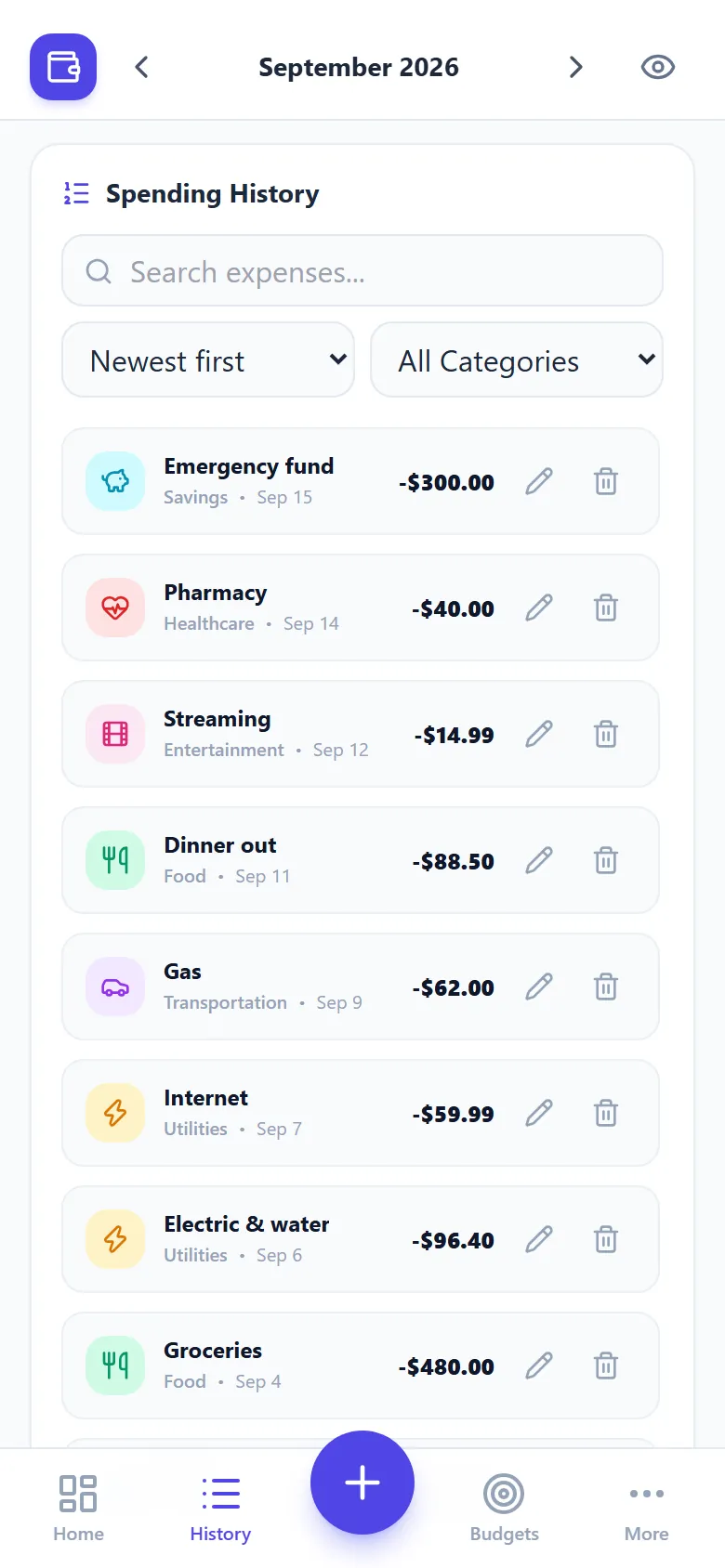
The fix: add rent, internet and subscriptions once as recurring expenses and they appear every month automatically.
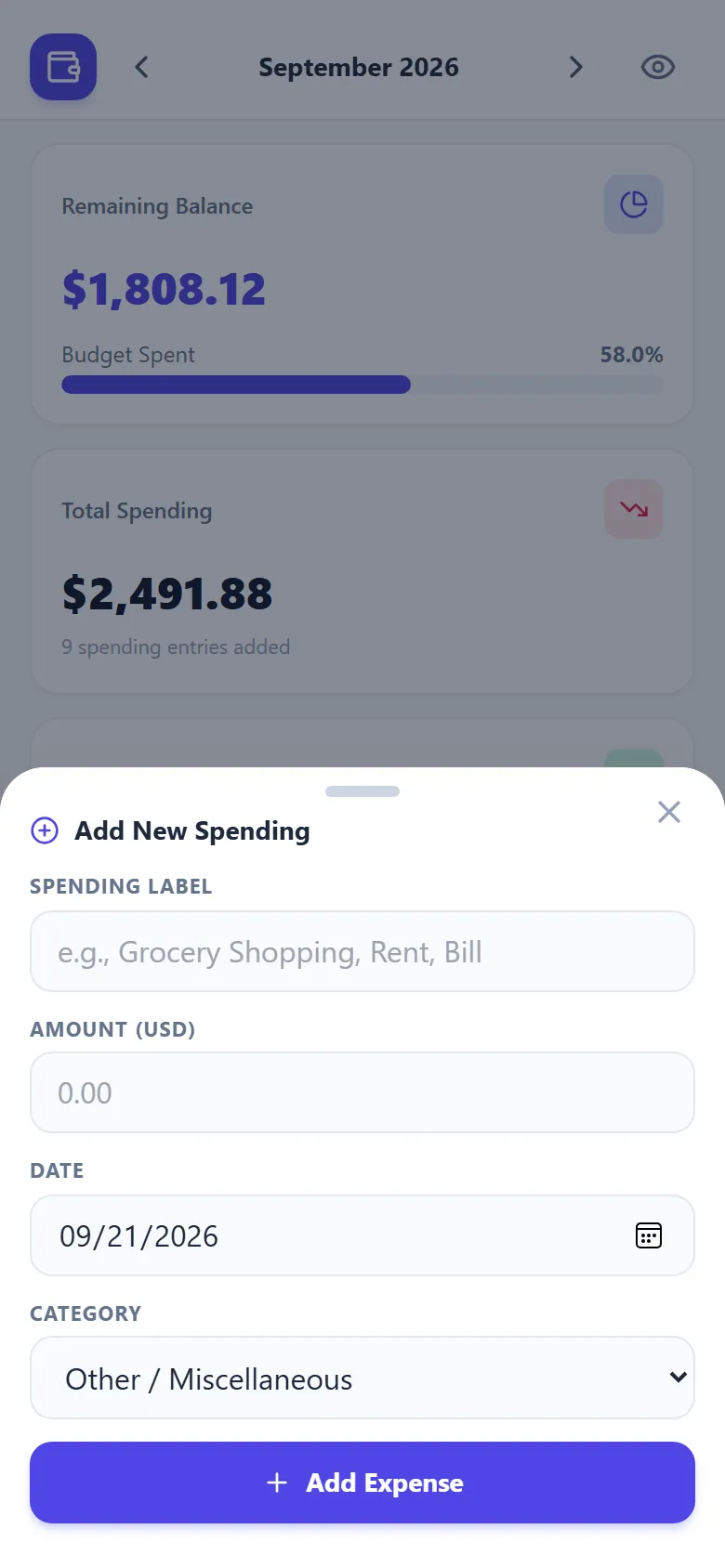
The fix: tap +, type an amount, done in about five seconds. Charts, budgets and totals are built in.
Three steps, no forms, no bank linking.
Type your take-home pay and pick from 50 currencies. Every month keeps its own income, which suits variable pay.
Tap +, add a label, amount and category. Recurring bills add themselves. Edit or undo any time.
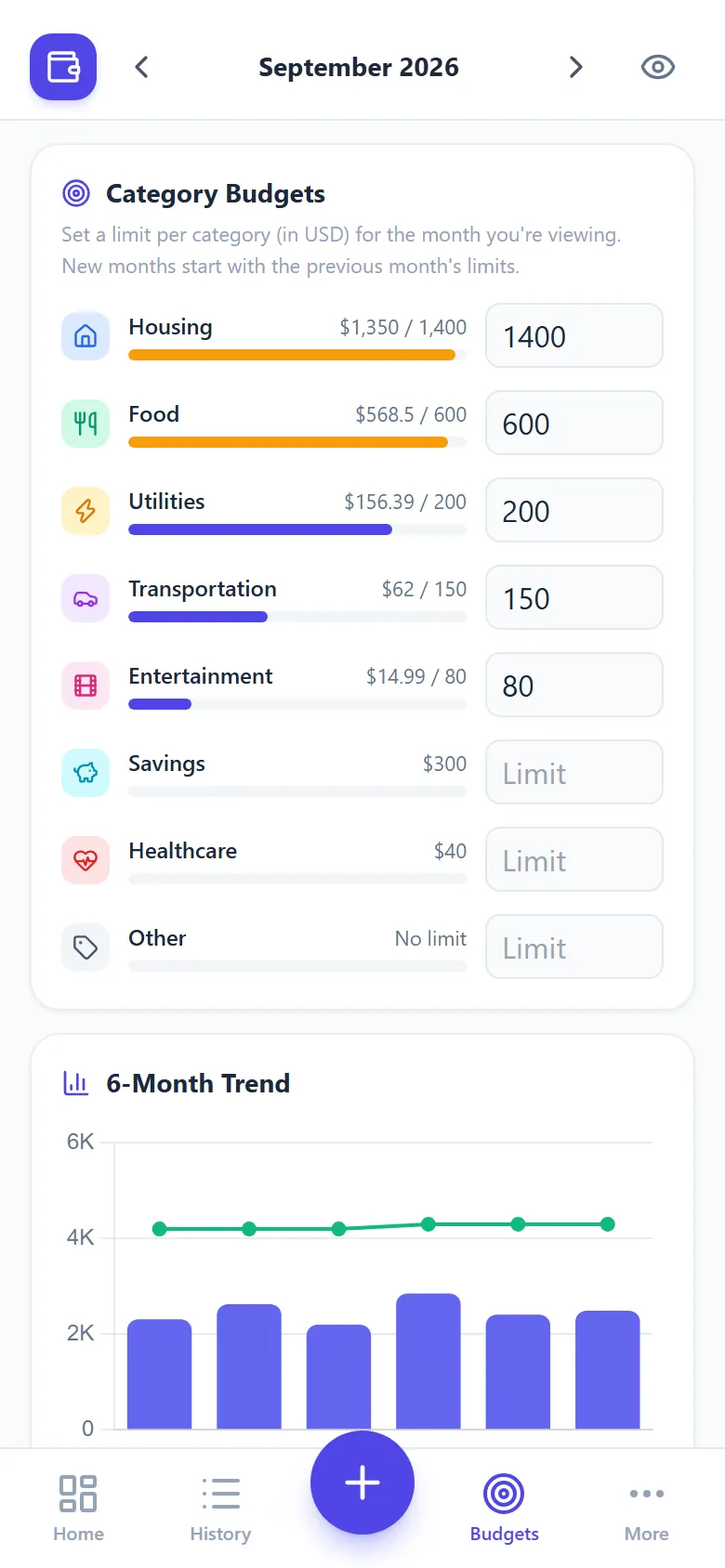
Watch your balance, category budgets and six-month trend update instantly, then adjust before month end.
A focused set of features that covers the basics well, without the clutter.
Set limits for food, bills, transport and more. Bars turn amber as you get close and red when you go over.
Each month has its own salary, expenses and budgets. Review any past month in a tap.
Rent, subscriptions and instalments are added automatically each month.
Checking on the train? The eye button masks your salary and balance instantly.
A category breakdown and a six-month trend against your salary show patterns you'd never spot in a list.
Add it to your home screen for a full-screen app that opens instantly, even without a connection.
USD, EUR, GBP, INR, PKR, AED and more, with the right symbol and grouping.
Download a backup to switch phones, or export any month for Excel and Google Sheets.
English, Español, Français, हिन्दी, العربية and اردو, with right-to-left layout and dark mode.
Bottom tabs, a quick-add sheet and smooth screens, like a native app.
Financial apps often ask for accounts, bank logins and permissions. Salary Left asks for none of it.
You never sign up or hand over banking details. You type in only what you choose to track.
Everything is saved in your browser. No server holds your numbers and there are no ads. Visits are counted anonymously, without cookies.
Download a full backup or CSV whenever you like. Read the privacy policy.
A quick, general comparison. Individual products differ.
| Feature | Salary Left | Spreadsheet | Typical app |
|---|---|---|---|
| Setup time | Under a minute | Build formulas yourself | Sign-up, often a bank link |
| Account required | No | No | Usually |
| Works offline | Yes | Depends | Often limited |
| Where data lives | Only your device | Your file or cloud | Company servers |
| Budgets and charts | Built in | You build them | Built in |
| Currencies | 50, one tap | Manual formatting | Varies |
| Price | Free | Free to paid | Paid upgrades common |
Make one paycheck stretch to the next. Set category limits, then watch the remaining balance instead of guessing.
Income changes every month, so each month has its own figure. Compare months on the six-month trend chart.
Stretch a small allowance or stipend. Free, light and quick enough to use between classes.
Track groceries, bills, school fees and savings in one place, with recurring items handled for you.
Working abroad? Pick the currency you're paid in and keep a clean monthly record of what you spend.
Log savings as their own category, then see how much of each month's income you actually set aside.
It's a web app, so there's nothing to download from an app store. Add it once and it opens full screen with its own icon and works offline.
Install the appYour data stays on the device you install it on. Firefox and desktop Safari can still use the app in a browser tab.
Amounts are formatted the way you're used to. Switching currency changes display only; it does not convert.
Take-home pay after federal, state and payroll taxes.
Split income into needs, wants and savings.
How long a goal takes, or how much to save monthly.
Convert pay between yearly, monthly and hourly.
See a marriage bonus or penalty for your incomes.
Find the salary you need for a target take-home.
Free sheet for Excel and Google Sheets.
Practical, plain-English guides to help you understand and control your spending.
Guide · 9 min read
Learn how to track expenses step by step. Compare 7 methods (app, spreadsheet, bank statements, cash envelopes), see a worked example and get a free template.
Guide · 10 min read
See what a $75,000 salary takes home in all 50 states and DC for 2026, ranked, and why the gap between states is smaller than most people expect.
Guide · 6 min read
A $20 an hour job pays $41,600 a year before tax, about $17.12 an hour after tax in Texas and less in California. See real take-home pay for $15 to $50 an hour.
Guide · 7 min read
Withholding is your employer's running estimate of your tax bill, set by your W-4. See how the five steps work and why it can leave you owing or refunded.
Guide · 8 min read
A $50,000 salary takes home about $42,355 in a no-tax state and $40,656 in California. See the 2026 breakdown by pay period, state and filing status.
Guide · 8 min read
A $80,000 salary takes home about $65,110 in a no-tax state and $60,860 in California. See the 2026 breakdown by pay period, state and filing status.
Yes. The tracker is free to use, with no signup, no ads and no trial period. If it helps you, you can support the project with a small donation.
No. There is nothing to sign up for. Open the app, enter your monthly salary and start adding expenses.
Your data is stored only in your own browser, on your own device. It is never sent to a server, so nobody else can see it. Because nothing is stored online, use the Backup button now and then, since clearing your browser data or losing your phone would otherwise remove your entries.
Yes. After your first visit the app is saved on your device and opens instantly without an internet connection. You can also install it on your phone home screen like a regular app.
Fifty currencies, including USD, EUR, GBP, CAD, AUD, INR, PKR, AED, SAR, PHP, JPY and more. The app picks one that matches your region and you can change it any time. Changing currency only changes how amounts are displayed; it does not convert them.
On Android, open the app in Chrome or Edge and tap Install app (or Add to Home screen). On iPhone, open it in Safari, tap the Share button, then choose Add to Home Screen. No app store is needed.
Yes. Every month has its own salary, expenses and budgets, which suits freelancers and anyone with variable income. A new month starts with the previous month's salary and limits, and you can change them.
Set a spending limit for each category, such as food or utilities, and the app shows how close you are. Recurring expenses such as rent or subscriptions are added automatically every month from the month you create them.
Use the Backup option to download a file with all your months, budgets and recurring items. On your new device, open the app and choose Restore from backup. You can also export any month to a CSV file for Excel or Google Sheets.
Salary Left is available in English, Spanish, French, Hindi, Arabic and Urdu. It picks the language of your browser automatically, and you can change it at any time from the footer or the More screen on your phone. Arabic and Urdu use a full right-to-left layout, and amounts always stay easy to read.
No. Salary Left helps you record and understand your own spending. It is not financial, tax or investment advice.
Set up in a minute. Free, private and works on any phone.
Open the free tracker